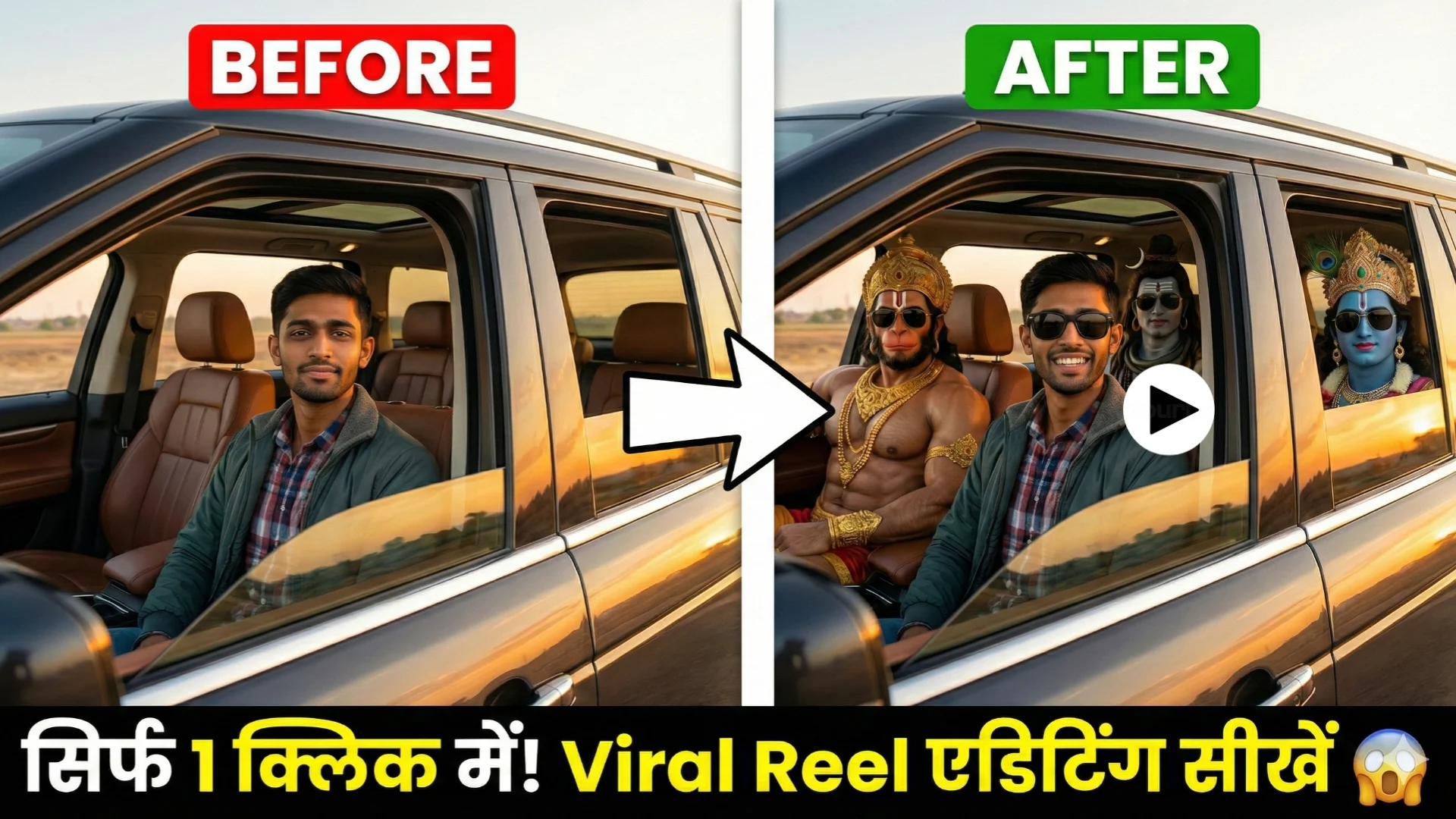
The God driving car AI video editing trend has completely taken over Instagram Reels, TikTok, and YouTube Shorts. People are going crazy over videos that feature Lord Hanuman driving a car, Lord Shiva in the passenger seat, Lord Ram relaxing in the backseat—and sometimes even you! These God-driving AI videos set to trending songs like “Just a Boy” are racking up millions of views.
If you want to create your own viral God SUV driving reel, this step-by-step guide will help you create one in less than 5 minutes using the latest 2026 AI tools.
Why are the God Car Driving AI videos going viral in 2026?
These videos combine deep cultural respect for our Hindu gods with modern humor and stunning AI realism. Key reasons for going viral:
- Super relatable personalization (add your face!)
- Short, cinematic 6–10-second clips perfect for Reels
- Strong engagement with hashtags like #GodDrivingAI #BhagwanJiCar #ViralReels2026
How to Make Bhagwan Ji Driving Car AI Image & Video?
It’s very easy to create a viral AI image of “God driving a car.” Simply follow the clearly explained steps below for the best understanding.
How to Create God Car Driving Ai Photo?
Step 1: Generate Stunning Base Image
Use this powerful prompt in Google Gemini or other AI tool (replace with your uploaded face photo):
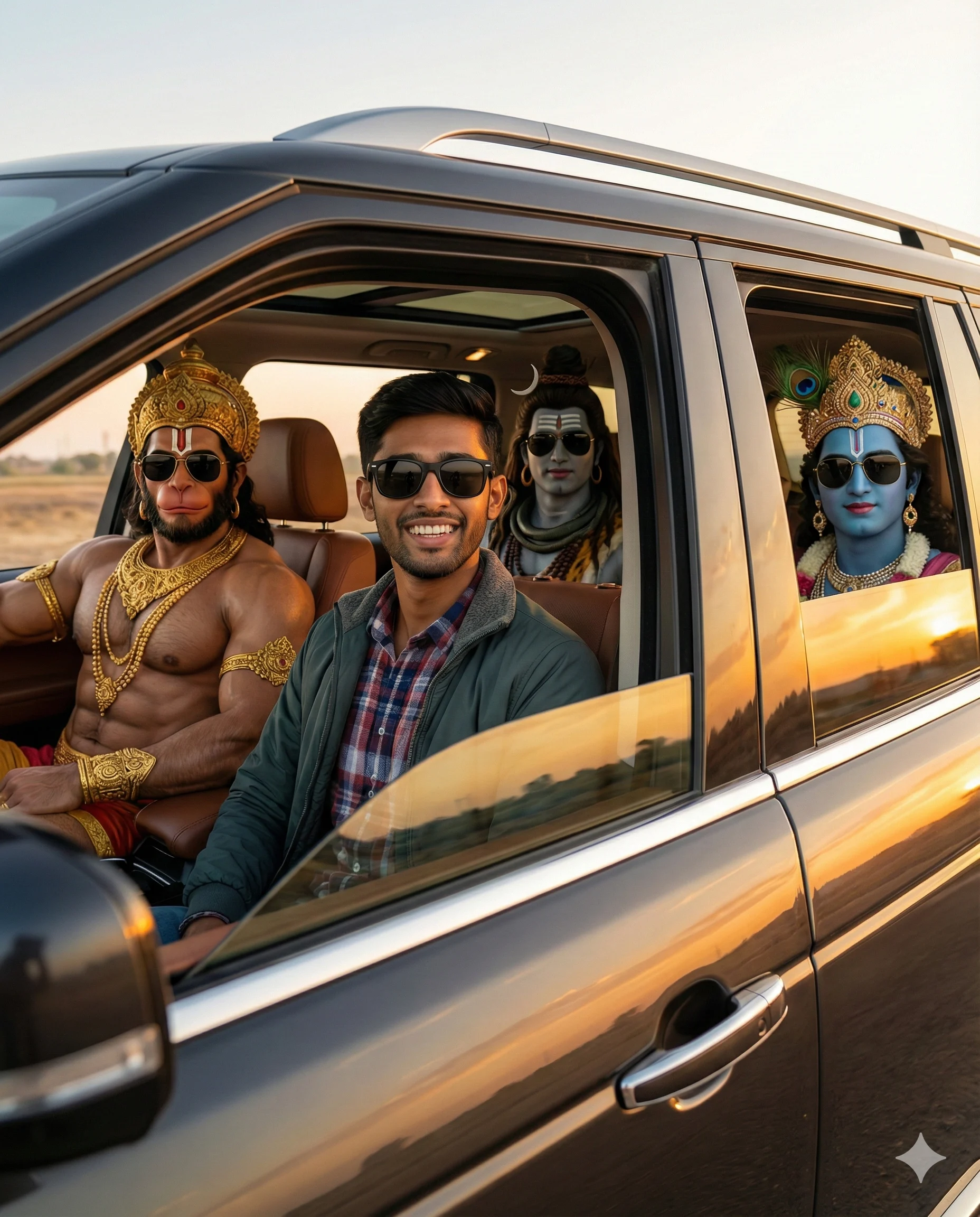
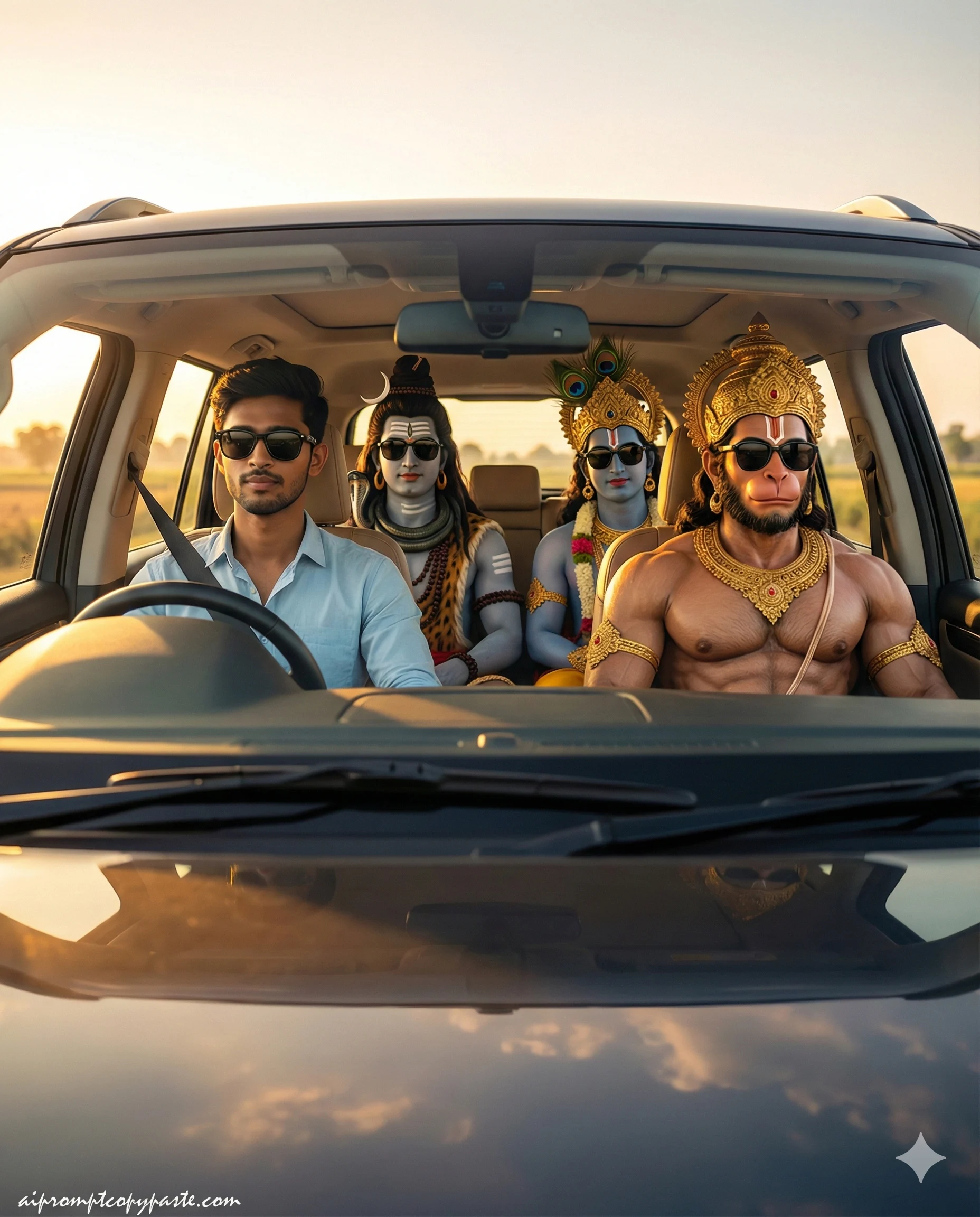
Create a cinematic ultra realistic image in the 9:16 ratio of me. I am sitting inside a modern luxury SUV car during the golden hour sunset. The car windows are open and warm sunlight fills the cabin. Beside me and behind me are Hindu gods Hanuman Ji Shiv Ji and Krishna Ji in divine human form. Hanuman Ji has powerful physique golden ornaments and sacred tilak. Shiv Ji has ash marks on forehead rudraksha beads flowing hair and calm divine expression. Krishna Ji has blue skin peacock feather crown elegant jewelry and peaceful smile. All characters are wearing stylish black sunglasses giving a cool modern vibe while maintaining divine aura. Camera angle is side window cinematic framing showing full car door window and reflections. Soft sunset lighting realistic skin texture natural shadows depth of field polished car reflections cinematic color grading sharp focus photorealistic 8K ultra detail high realism no blur no distortion no artifacts.
Negative: cartoon, anime, CGI, illustration, AI face, face change, blur, over-smooth skin, low quality, extra limbs, no any watermark.
or Front Side Image
Use the uploaded photo as the ONLY face reference for the main subject (STRICT FACE LOCK).
Do NOT change, edit, beautify, smooth, or regenerate the face in any way.
Face must remain 100% identical with natural skin texture and HD clarity.

Create a cinematic, ultra-realistic front-view (windshield angle) shot looking inside a modern luxury SUV during golden-hour sunset. The main subject (reference image) is a young Indian man sitting in the driver’s seat, wearing a light blue shirt and stylish black sunglasses, looking calm, cool, and relaxed.

Passenger seat: Lord Hanuman in a divine human form with a powerful physique, golden ornaments, and black sunglasses, blending modern style with divine aura.
Back seat: Lord Shiva with ash marks and rudraksha beads, and Lord Krishna with a peacock feather crown—both wearing black sunglasses, serene yet powerful presence.

Environment: car windows open, warm golden sunlight flooding the cabin, realistic reflections on glass and dashboard, natural shadows, photorealistic skin and fabric textures.

Camera & Style: DSLR cinematic photography look, sharp focus, shallow depth of field, premium reflections.
Quality: ultra-realistic, 8K HDR.
Composition: vertical format, aspect ratio 4:5.

Negative: cartoon, anime, CGI, illustration, AI face, face change, blur, over-smooth skin, low quality, extra limbs, any watermark except signature.
How To Create God Car Driving Image To Video
Step 2: Turn Image into Video
You can generate a video from your image using any video generate tool but I prefer to use google veo or google flux fram to video. For video create Use video prompt like this:
All four people inside the car are vibing to music with natural head nodding light shoulder movement subtle hand tapping and relaxed facial expressions.
Step 3: Final Edit in CapCut or any Video Editing Apps
- Import video
- Add trending audio (“Just a Boy” or similar)
- Auto-captions + effects
- Export in 1080p vertical for reels
Step 4: Post & Go Viral
Use hashtags: #GodDrivingCar #BhagwanJiDriving #AIViral #TrendingReels2026
Best AI Tools for God Driving Car Video Editing in 2026
Forget old methods — these are the top tools creators are using today:
- Google Veo → Best cinematic quality & physics
- Kling AI → Fast, affordable, great action scenes
- Runway Gen-3 → Advanced motion control
- CapCut → Free editing + trending templates + music
Start with free versions — no need for paid plans to begin!
Bonus: More Divine Variations
Try these for different gods:
- Lord Krishna driving with flute on the dashboard
- Ganesha in back seat eating modak while car moves
Conclusion God driving car AI video editing is the perfect mix of devotion, fun, and technology in 2026. Start creating today—your next viral reel is just a prompt away!